How TapForLoyalty works
Merchants launch a wallet-based loyalty card in minutes — and customers earn and redeem rewards with every visit.
For Merchants: Launch in 4 steps
Set up your loyalty card and start rewarding customers in minutes.
Sign up and add your business
Create your account and add your business details in under a minute.
Create your reward
Reward
Buy 4 coffees, get the 5th free
Choose a template or create your own reward in a few clicks.
Generate QR poster and wallet pass
Download your QR poster and wallet pass. Ready to share with customers.
Scan visits and redeem rewards
Visit recorded!
Use the web scanner to record visits and redeem rewards instantly.
For Customers: Earn in 4 steps
No app to download. Just scan, save, and start earning rewards.
Scan the QR code
Find a TapForLoyalty QR code and scan it with your phone.
Add the card to your wallet
Add the loyalty card to your digital wallet in one tap.
Show the card every visit
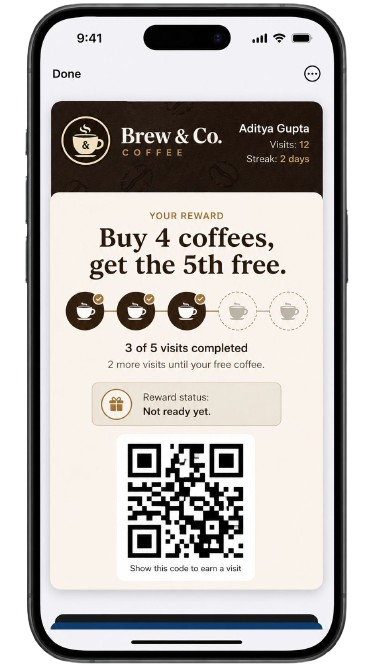
Show your wallet pass to be scanned and earn a stamp.
Unlock and redeem rewards
Reward unlocked!
1 Free Coffee
Hit your goal and enjoy your reward. It's that simple.
Staff scan with the web scanner
Open the web scanner on any device — no app required. Scan the customer's wallet pass QR code to record visits and redeem rewards.
Manual code entry as backup
Can't scan? Enter the customer code manually to record the visit.
Scan the customer's wallet pass QR code
Or enter code manually
The reward cycle
Buy 4 coffees, get the 5th free — customers earn a stamp every visit.
After 4 visits, customers unlock their free reward — then the card resets automatically.
After reward redemption
The loyalty loop never stops. Here is what happens after a customer redeems.
Reward redeemed
Customer enjoys their reward.
Card resets automatically
A new cycle begins.
Keep earning more rewards
The cycle continues forever.
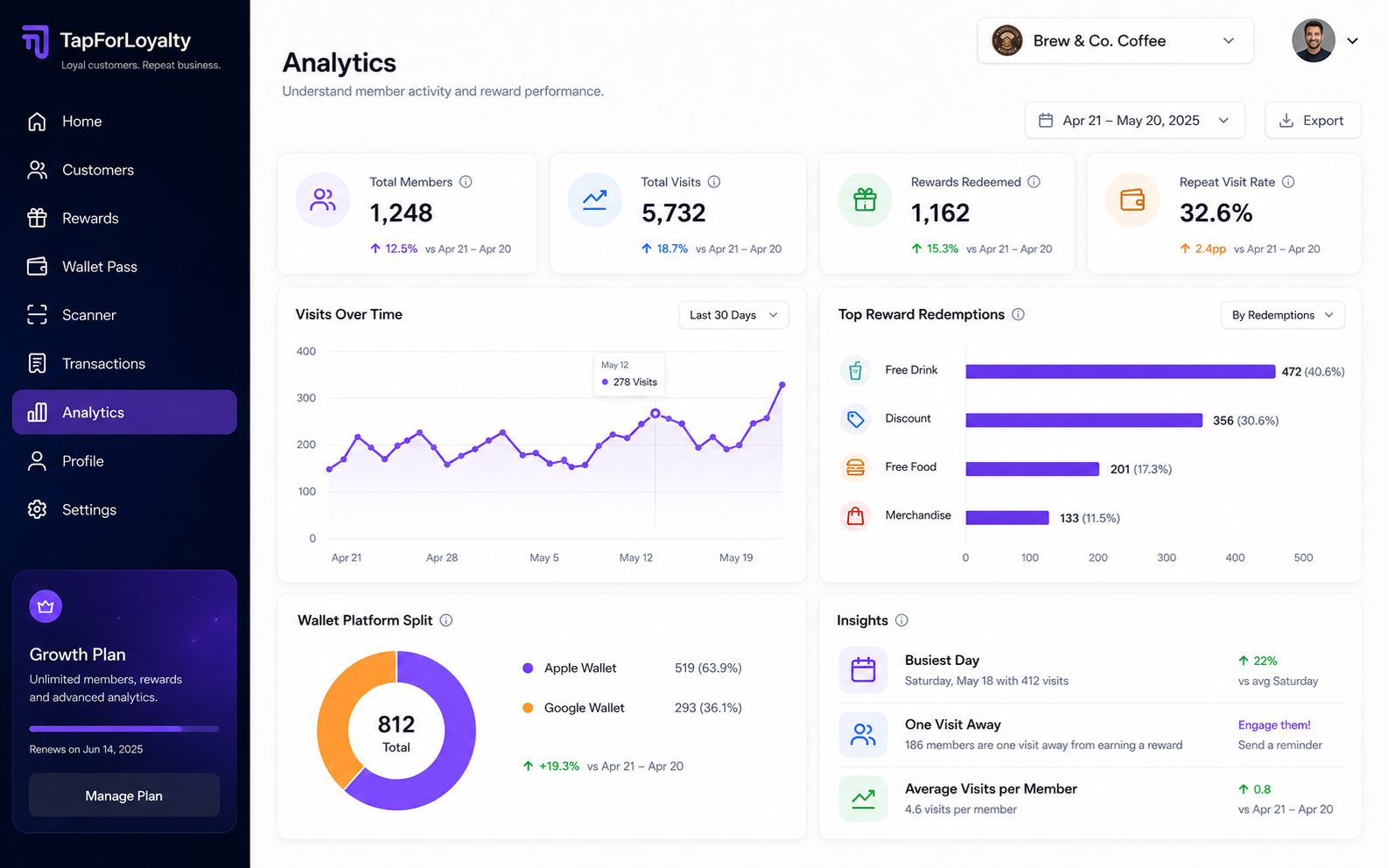
Track growth and loyalty
See repeat visits and happy customers.
Launch your loyalty card in minutes.
No setup fees. No contracts. Cancel anytime.